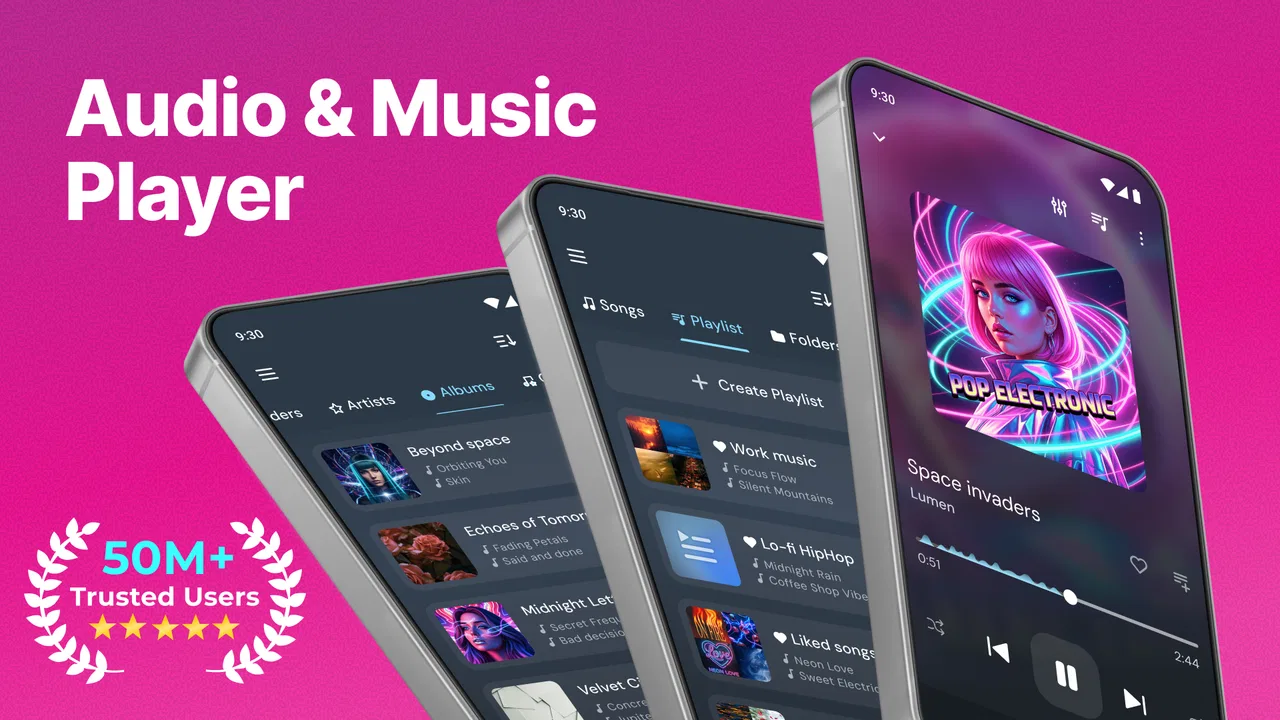
Audio & Music Player MP3
- 4.7
- Rating
- 50.00M
- Installs
- Free
- Price

 Analysis by App-foxy
I have always liked having a local music player available, even when streaming services are convenient. There is something reassuring about opening an app and seeing the audio already stored on the phone, ready to play without a subscription screen or a network connection. Audio & Music Player MP3, developed by JRT Studio Music Players, takes that straightforward approach. It is a free Music & Audio app for Android, and after using it, I see it as a practical choice for people who want a familiar player rather than an all-in-one streaming platform.
The appeal is easy to understand. You install it, point it toward your music collection, and use it for everyday listening. It does not ask me to rebuild my habits around recommendations, accounts, or an online catalog. That simplicity is also its main limitation: the experience depends heavily on how well-organized your own audio files are and what kind of listening experience you expect. If you want a focused tool for personal MP3 and audio playback, it deserves attention. If you mainly listen through streaming services, its role is much smaller.
How it feels during everyday listening
My first impression is that this is an app designed to get out of the way. A music player should not make me think about the player itself every time I want to hear an album, and this one fits that expectation. The basic workflow is familiar: open the library, choose something to play, and leave the controls available when you need them. That makes it suitable for commuting, background listening while working, or keeping a personal collection available during travel.
You May Also Like

 Blood Strike: 2.5 Anniversary
Blood Strike’s Loadouts Turn Every Drop Into a Tactical Gamble
A close look at Blood Strike’s custom loadouts: how fast access to signature weapons reshapes its battle royale rhythm, rewards preparation, and narrows the gap between fights.

 Pandora - Music & Podcasts
Pandora’s Music Is Easy to Start, but Harder to Recover
Pandora’s strength is its low-effort path from a seed to a station. Its weak spot is how much confidence it asks you to place in connection, setup, and quiet recovery.

 8 Ball Pool
 Is Built on Rivalries, Rematches, and Routine
A close look at the rivalries, rematches, shared routines, and unanswered safety questions that turn a quick pool match into a persistent mobile community.

 Samsung Music
’s Quiet Strength Is Playing What You Already Own
Its reach comes less from spectacle than from dependable access to a personal library. That simplicity is both the app’s strongest retention engine and its ceiling.

 AccuWeather: Weather Radar
AccuWeather Review: A Quick, Clear Forecast for Everyday Decisions
For everyday plans, the best forecast is the one you can understand quickly. AccuWeather makes rain timing, radar, and local conditions easy to act on, with a few trade-offs.

 Hill Climb Racing
Why Hill Climb Racing Still Turns Crashes Into One More Run
A tiny car, a bumpy hill and one more upgrade: Hill Climb Racing keeps resurfacing because its simple chaos makes every near-miss feel personal.
More From Our News Desk
View All News


The app has a 4.7 average from around 677 thousand ratings, which gives a useful sense of its broad appeal. It has also passed 50 million installs, so this is not an obscure experiment with a tiny audience. Those figures do not guarantee that it will suit every phone or music library, but they do suggest that the basic concept has worked for a large number of Android listeners.
What I appreciate most is the low mental effort. I do not need to decide which online service has an album, whether a track is available in my region, or whether a playlist will remain accessible offline. My own files are the starting point. That makes the app particularly useful for recordings that are not part of mainstream streaming catalogs, purchased downloads, personal mixes, or audio transferred from an older device.
Speed expectations when opening and browsing
For a local player, perceived speed is less about dramatic animations and more about how quickly I can get from the app icon to a song. Audio & Music Player MP3 feels best when the phone already has a tidy collection. Albums and tracks are easier to browse when file tags are consistent, while a mixed folder full of badly named files can make any player feel disorganized. In that situation, the friction is not necessarily playback performance; it is the quality of the library the app has to interpret.
I would not choose this app expecting the elaborate visual polish of a major streaming service. Its strength is direct access rather than a highly curated discovery experience. The controls are useful because they support the central task, not because they turn music playback into a visual showcase. For me, that is a good trade-off on a phone where I mainly want to start an album quickly and then put the device away.
A realistic example is a morning commute with several downloaded albums. I can select a record before leaving home, start playback, and avoid depending on mobile coverage. If I later want a completely different artist whose files are not on the device, the app cannot solve that problem by searching an online catalog. That boundary is important: this is a player for audio you have access to, not a replacement for a streaming subscription.
What happens during heavier listening sessions
Long listening sessions are where a local audio player earns its place. I might play music for several hours while reading, traveling, or doing household work, and the useful quality is consistency. There is no need to keep browsing for the next song if I have already prepared an album or playlist. The app’s focused purpose also means I am less tempted to spend time scrolling through recommendations instead of listening.
Heavy use can still expose practical issues. Large collections may take more effort to browse than a small library, especially when artists, album names, and track information are inconsistent. A phone with limited free space can also make local music management inconvenient, because the files themselves occupy storage before the player even enters the picture. These are not problems that a music player can completely remove.
I also think about multitasking. During a normal session, I may switch to navigation, messaging, or a podcast-related task while the music continues. The important point is not whether the app performs flashy background tricks; it is whether the playback workflow remains unobtrusive. On Android devices, battery management and manufacturer-specific background restrictions can affect any audio app. If playback stops unexpectedly, checking the phone’s battery settings is a sensible troubleshooting step before assuming the player itself is defective.
Another heavy-use situation is a long trip with limited connectivity. Here the app has a clear advantage over a streaming-first alternative: the music is already on the phone. I would prepare the collection beforehand, verify that the files are recognized, and test the intended album before leaving. That small check can prevent frustration later, particularly if the files came from several sources and use different naming conventions.
Stability, interruptions, and recovery
Reliability matters more to me than decorative features in a player. When an app is responsible for background listening, I want the controls and playback state to feel predictable. Audio & Music Player MP3 benefits from having a narrow job. It is not trying to be a social network, a store, a radio station, and a music library at the same time. That focus makes it easier to understand what the app is supposed to do.
Still, no Android music player operates in isolation. A phone may pause background apps to save power, reclaim memory, or apply its own rules to long-running processes. Bluetooth headphones, car systems, notification controls, and other audio apps can also introduce interruptions. When playback stops, I would work through the basics in order: check whether another app has taken audio focus, reconnect the accessory, confirm that the file still plays, and review battery restrictions. This recovery process is more useful than immediately reinstalling the app.
Local files bring their own form of resilience. If a streaming service has a temporary outage, a downloaded personal collection in this player remains independent of that service. On the other hand, the app cannot protect you from a damaged file, a missing transfer, or a storage problem. I recommend keeping important music in a separate backup rather than treating the phone’s library as the only copy. That is good practice for any local player, but it is especially relevant here because your collection is the heart of the experience.
The developer has continued to publish updates, and the current version is 12.3.9. I see that as a positive sign for an established utility, although an update number alone does not tell me how every device will behave. The app was released on July 20, 2015, so it has had a long presence compared with a newly launched player. That history helps explain why it feels like a mature, conventional option rather than a new concept still finding its direction.
Device limitations and Android compatibility
Audio & Music Player MP3 requires Android 8.0 or later. That covers a wide range of still-used Android phones, but it naturally excludes older devices. Before installing it on an aging handset, I would check the Android version first. Compatibility is not only about whether the app installs; older hardware may also have less storage, slower library browsing, or more aggressive background management.
On a newer phone, the main practical constraint is likely to be the collection itself. A large local library can become difficult to navigate if tags are incomplete or contradictory. I get better results when I organize albums into clear folders and correct obvious metadata before importing everything. This is one of the less glamorous but most valuable tips: a few minutes spent cleaning the files can make the player feel much faster and more dependable afterward.
Storage is another trade-off. Local playback avoids streaming data use, but the music must live somewhere. If the phone is nearly full, adding a large collection may create more problems than it solves. I would keep only the albums I actually listen to on the device and archive the rest elsewhere. That approach also makes browsing less cluttered and reduces the chance of accidentally selecting duplicate files.
For people using an older Android phone as a dedicated music device, the app can be appealing because the task is focused. A spare handset with a carefully selected library may be more convenient than carrying a primary phone with a crowded collection. However, I would not promise identical behavior across every manufacturer’s interface. Android brands can change notification controls, lock-screen behavior, and background rules, so the final experience depends partly on the device environment.
Useful workflows beyond simply pressing Play
One of the best ways to use this app is as a controlled offline library. Instead of copying every audio file you own, I would create a smaller travel or work collection, organize it by artist and album, and use the player as the dependable front end. This makes the library easier to scan and keeps storage demands reasonable. It also gives me a clear recovery plan: if something goes wrong, I know which files should be present and can replace them from the original backup.
A second useful workflow is listening to audio that does not fit neatly into a streaming service. Personal recordings, language-learning files, independent releases, and older MP3 purchases can all benefit from a dedicated local player. In these cases, the app is not competing with streaming recommendations; it is handling material that a streaming app may not organize well. That is a more compelling reason to install it than simply wanting another way to play popular songs.
I would also use it when I want fewer distractions. Streaming apps are excellent for discovery, but their home screens can lead me into endless browsing. With a prepared local library, I can choose an album and stop looking at the screen. This is a small distinction, but it changes the role of the phone from a content marketplace into a straightforward audio device.
The trade-off is that local playback requires some ownership and maintenance. I need to manage files, preserve backups, and accept that new music will not appear automatically. Someone who wants instant access to a huge catalog, algorithmic mixes, synchronized listening across several services, or constant recommendations will probably be happier with a streaming app. Audio & Music Player MP3 is strongest when I already know what I want to hear.
Cost, audience, and the practical decision
The app is free, which makes trying it low-risk. It includes in-app purchases ranging from $0.99 to $99.99 per item, so I would review any purchase screen carefully and decide whether the free experience already covers my needs. The presence of optional purchases does not change the basic reason to consider it: it gives Android users a way to play their own audio without paying an upfront purchase price.
Its Everyone content rating also makes it broadly approachable for general household use. That does not mean it will be the perfect choice for every listener. A teenager discovering music for the first time may prefer a service built around search and recommendations, while a serious enthusiast may want a player centered on advanced sound controls, detailed library management, or a particular high-resolution workflow. The right choice depends on whether convenience means “find anything instantly” or “play my own files without fuss.”
I would recommend it to someone who has a meaningful MP3 collection, travels through unreliable coverage, wants to avoid mobile data use, or needs a simple home for audio files outside the streaming ecosystem. I would skip it if my phone contains almost no local music and I mainly use online services. In that case, installing another local player adds little value and may simply divide my listening habits between two apps.
My performance verdict after weighing the trade-offs
Audio & Music Player MP3 succeeds because it keeps its purpose clear. In my experience, its perceived performance is best judged by the speed of reaching a local album, the steadiness of extended playback, and the ease of recovering when Android or an accessory interrupts the session. It is not a tool I would choose for online discovery, but it is a sensible companion for a prepared personal collection.
The app’s long availability, current version 12.3.9, and broad adoption make it feel like a mature option rather than a temporary utility. I still would not treat popularity as a substitute for testing it on a particular phone. Android version, storage space, file organization, battery settings, and Bluetooth hardware all influence the result. Those variables matter more here than a flashy interface or a long feature checklist.
My recommendation is simple: choose it when your music is already yours and stored locally. Clean up the library, keep a backup, test the albums you need before traveling, and check battery settings if background playback is interrupted. Used that way, this free Android app is focused, practical, and pleasantly uncomplicated. It will not replace a streaming catalog, but it does not need to. For the right listener, its value is giving personal audio a dependable place to play.
JRT Studio Music Players has made a tool for a specific everyday need, and that clarity is its strongest quality. I would install it on a compatible Android phone when I wanted a direct route from stored files to uninterrupted listening, especially for offline trips or collections that streaming apps handle poorly. Audio & Music Player MP3 is not the most exciting choice in the category, but its restraint is exactly why I would recommend it to a friend who wants music playback rather than another platform to manage.
FAQs for Audio & Music Player MP3
01What audio formats does Audio & Music Player MP3 support?
Audio & Music Player MP3 supports a wide range of audio formats, including MP3, WAV, AAC, FLAC, and more. This versatility ensures that users can play most of their music files without needing to convert them, providing a seamless listening experience across various file types.
02Does the app offer offline playback?
Yes, Audio & Music Player MP3 offers offline playback. Users can download their favorite tracks and playlists directly to their device, allowing them to enjoy music without an internet connection. This feature is particularly beneficial for those who travel frequently or have limited data plans.
03Can I create and manage playlists within the app?
Absolutely, the app allows users to create and manage their playlists with ease. You can organize your music by genre, mood, or personal preference, and edit playlists as you like. This feature provides a personalized listening experience tailored to individual tastes.
04Are there any customization options available?
Audio & Music Player MP3 offers several customization options, including equalizer settings, themes, and widgets. Users can adjust audio settings to enhance sound quality and choose from different themes to personalize the app’s appearance. These options help tailor the app to match user preferences.
05Is there a premium version, and what are its benefits?
Yes, there is a premium version available. The premium version removes ads, provides additional features such as enhanced audio settings, and offers priority customer support. This upgrade is ideal for users seeking an ad-free experience and more advanced functionalities.
Pros
- User-friendly interface for easy navigation.
- Supports a wide range of audio formats.
- Customizable equalizer for personalized sound.
- Offline playback for uninterrupted listening.
- Playlist creation for organized music management.
Cons
- Contains occasional in-app ads.
- Limited advanced features in free version.
- Some users report minor bugs.
- No lyrics support for offline songs.
- Requires account for some features.

Audio & Music Player MP3
Gallery